> For the complete documentation index, see [llms.txt](https://kakaobusiness.gitbook.io/global/llms.txt). Markdown versions of documentation pages are available by appending `.md` to page URLs; this page is available as [Markdown](https://kakaobusiness.gitbook.io/global/channel-1/info.md).
# Introduction
Create the perfect Kakao Talk Channel for your business.
**Start your business through KakaoTalk—free and accessible to everyone.** \
Use various features of Kakao Talk Channel to cut costs and boost efficiency.
## 1. Learn More Easily Through Tutorials
You can also watch videos to learn how to use the **Channel Admin Center** with ease
{% file src="/files/L7rkAs7L8EXVdliDErlf" %}
⏰ Please refer to the timeline of the video.
0:24 Creating a KakaoTalk Channel\
0:58 Opening a General Channel\
1:57 Introducing the Free Trial Program for New Businesses\
2:06 Profile Settings (Making Your Channel Public)\
2:29 Applying for a Business Channel\
2:55 Creating a Biz Wallet\
3:15 Sending a Message\
4:17 Message Sending Settings (Targeting & Budget Review)
## **2. Introducing the Basics**
Open a channel to share business information and updates.\
Improve your channel with diverse features to suit your business needs.
### **1-1. Key Features**
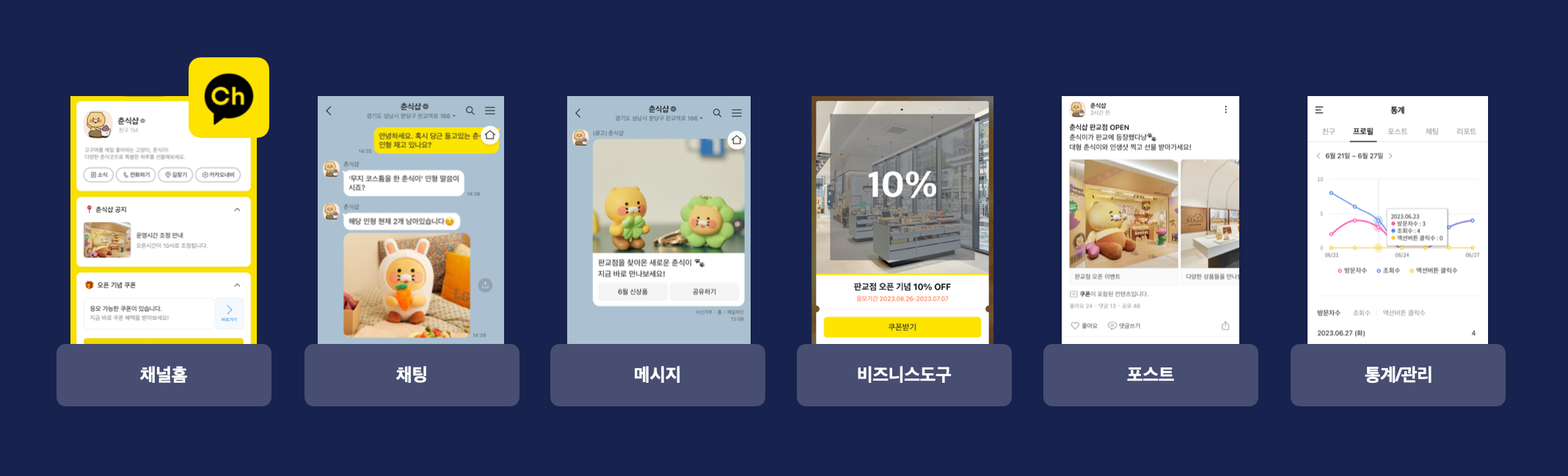
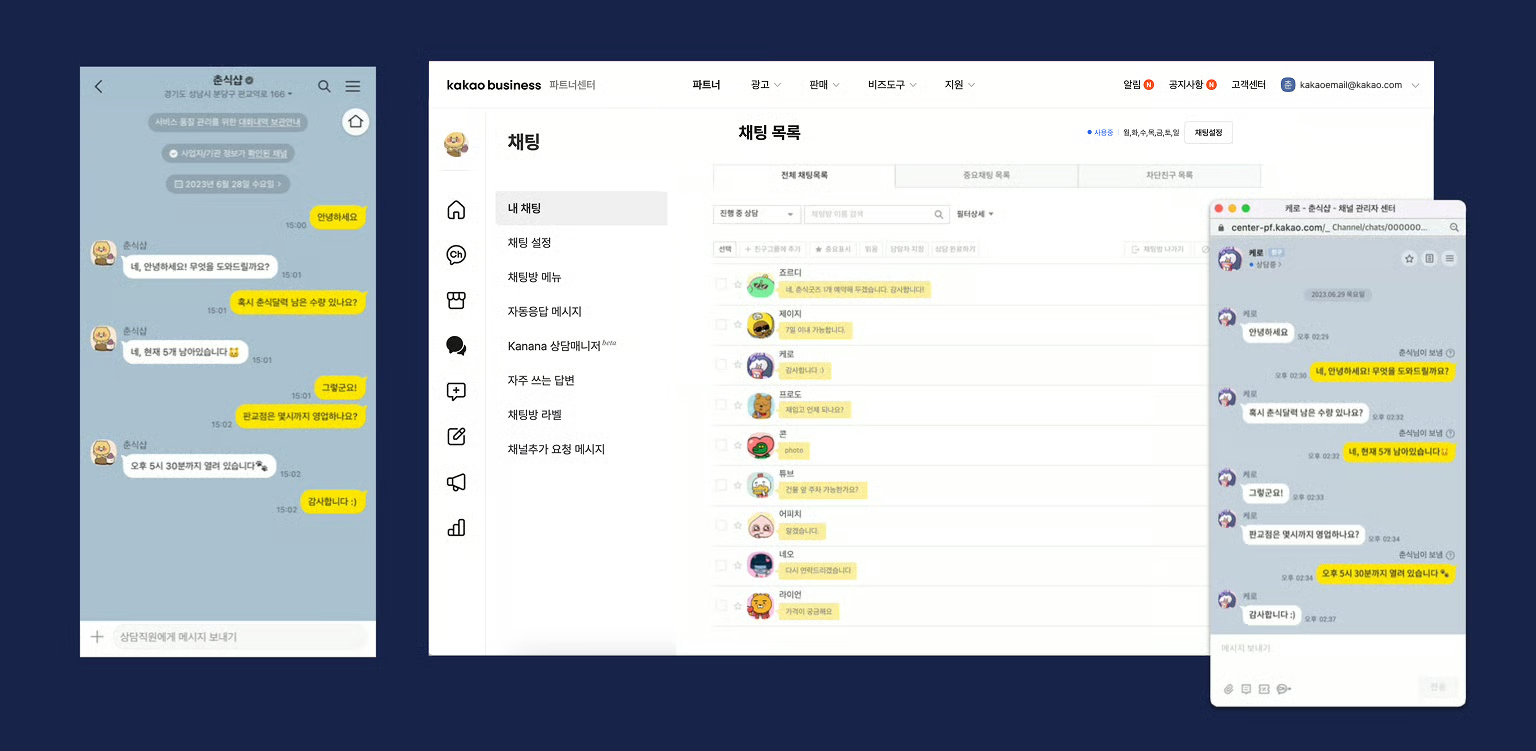
* **Chats**\
Connect with customers of all ages through KakaoTalk 1:1 chat for inquiries, bookings, and consultations.
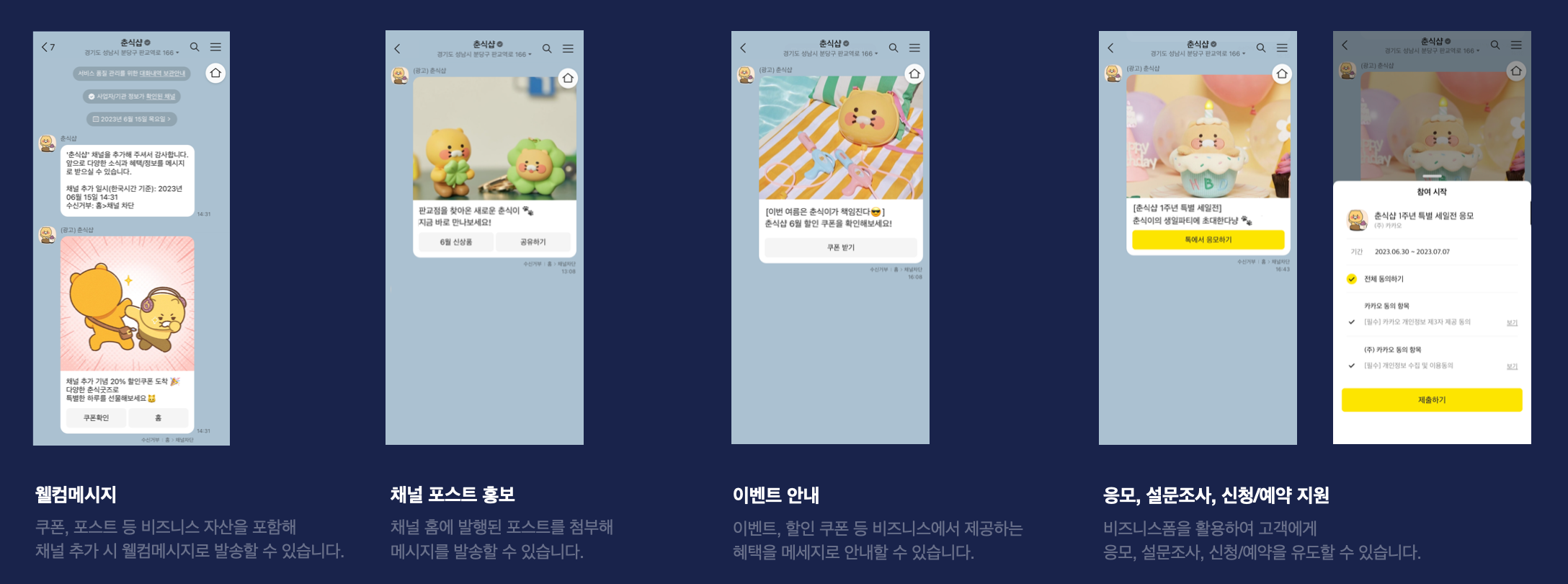
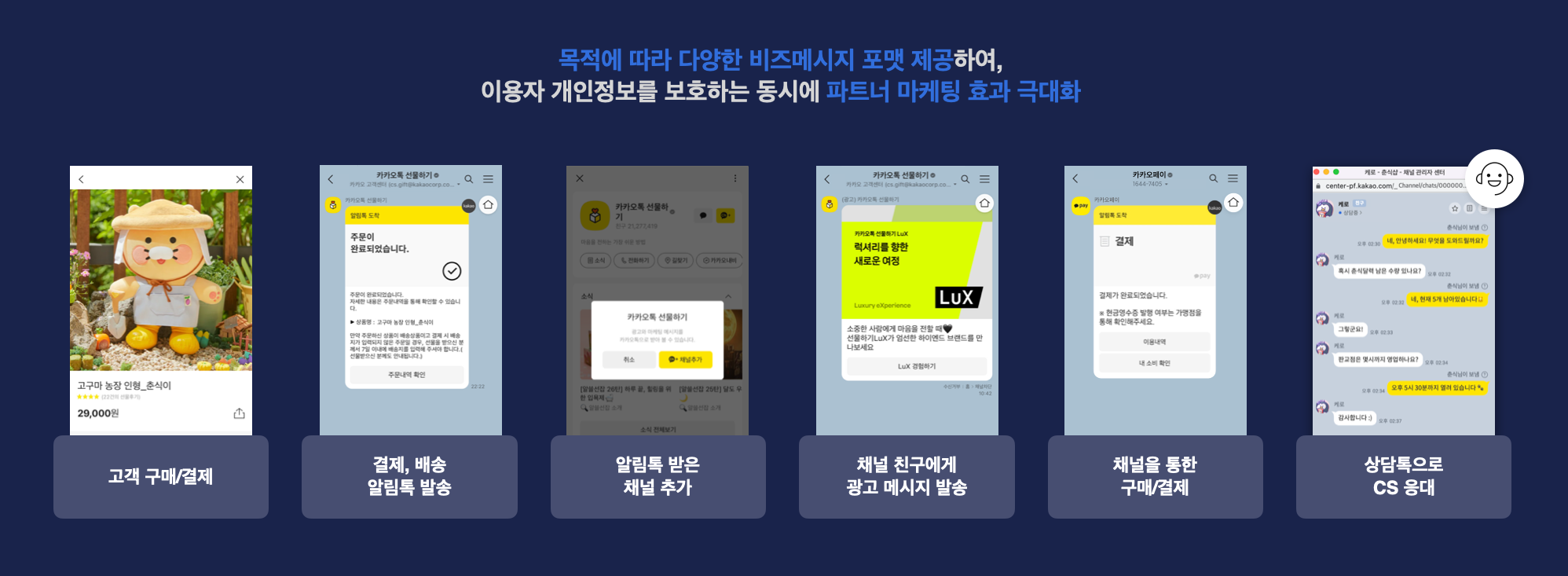
* **Messages**\
Send instant notifications, announcements, event updates, discount coupons, and surveys via KakaoTalk messages.\
Boost visibility with diverse message formats and maximize engagement through precise targeting.
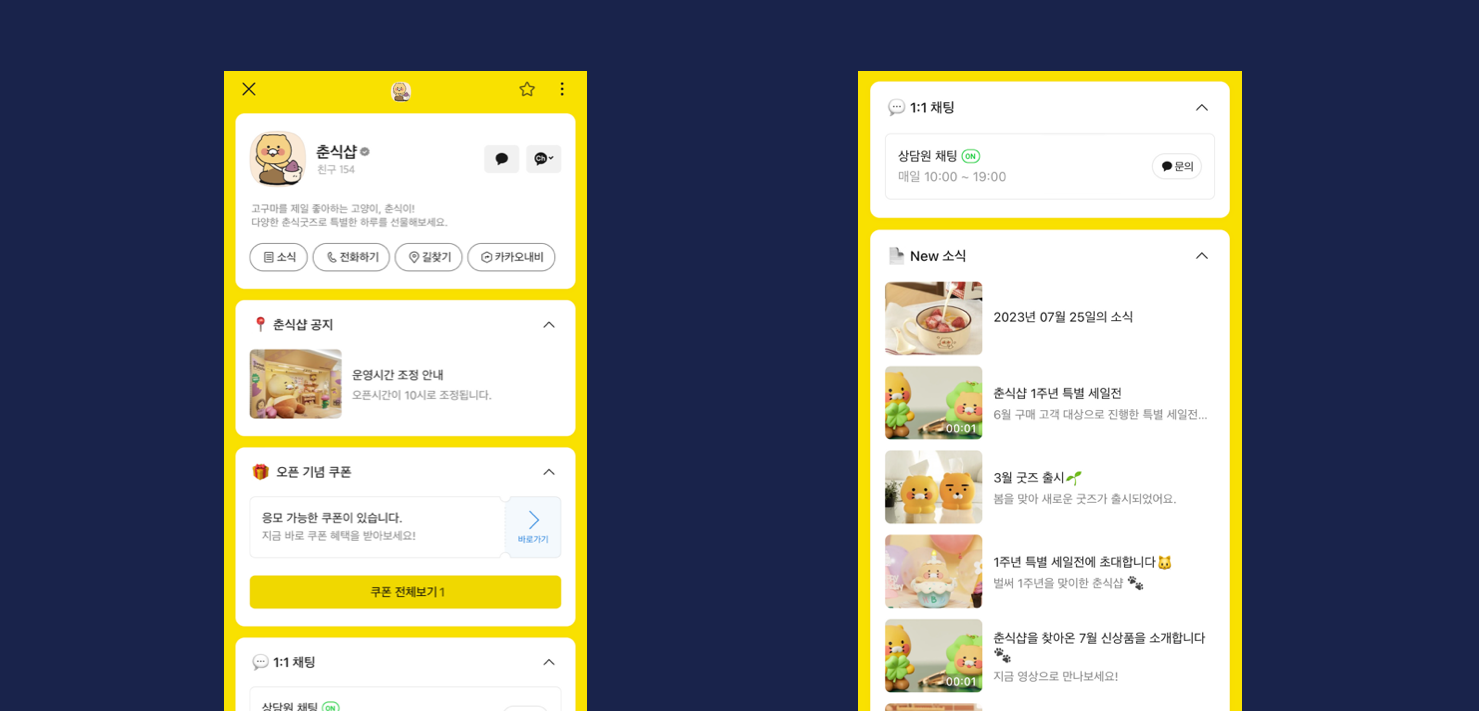
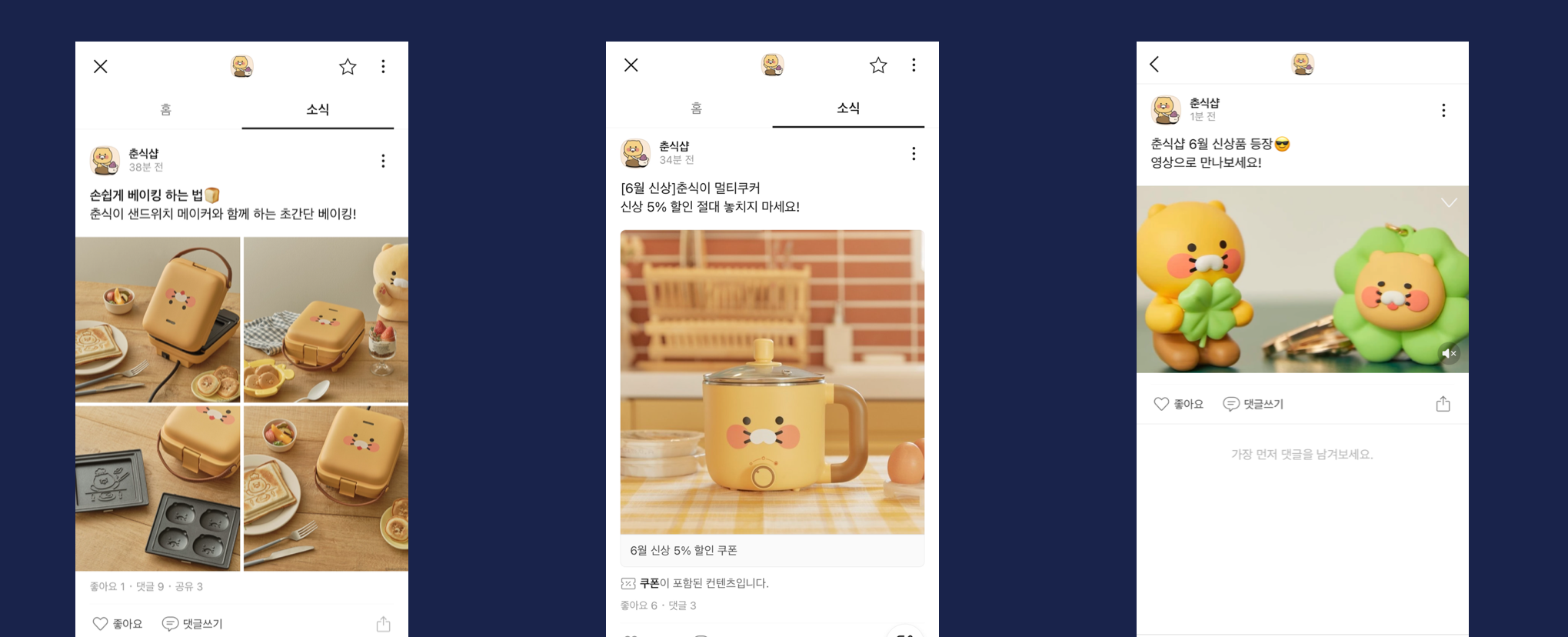
* **Updates**\
Keep your audience informed by publishing updates on your channel home, ensuring KakaoTalk users receive the latest news.\
Check customer feedback through likes and comments, and expand your reach by sharing updates.
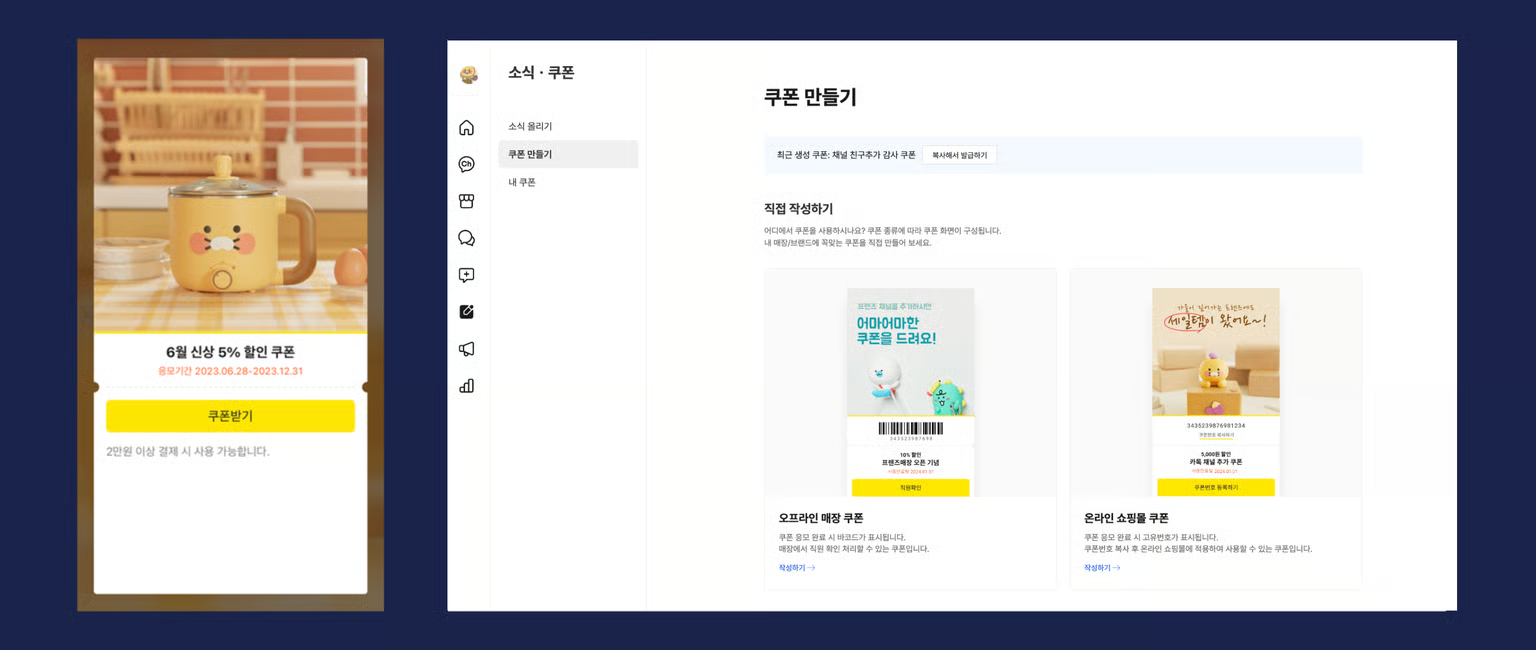
* **News & Coupons > Create Coupons**\
Create instant reward coupons for KakaoTalk users and attach them to messages or card views.\
Ehhance brand promotion and offer various benefits to your customers.
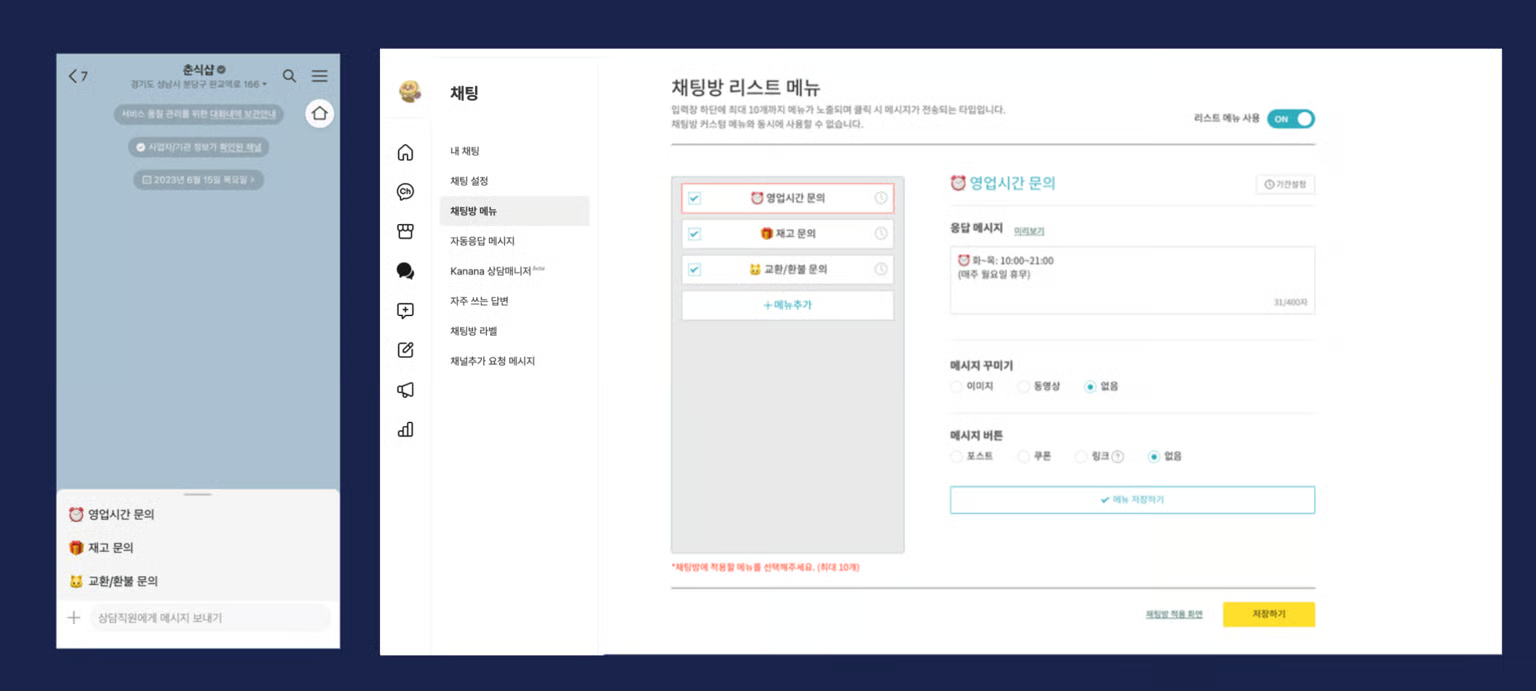
* **Chat > Chat Room Menu**\
Set up interactive buttons for quick access to essential information with a single click.\
Configure FAQs and provide various updates and information via interactive buttons.
### 1-2. Partner Achievements
* **Expanding Influence**\
Total number of friends of Kakao Talk Channel partners: 1.18 billion
Partners with over 100,000 friends: 1,151\
\*As of 2022
* **Positive Business Cycle**\
When customers make a purchase, businesses can send informational messages through Info Talk at a lower cost compared to SMS.\
Promotional messages can be sent via messages and Ad Talk to customers who have added the channel.\
With CS Talk, businesses can maintain continuous and instant communication with customers through 1:1 chat.
* **Cost Reduction**\
Info Talk is more affordable than traditional SMS, helping many businesses and organizations reduce costs.\
Using Info Talk can lower messaging costs by up to 70% compared to previous methods.
* **Improved Efficiency and Customer Satisfaction**\
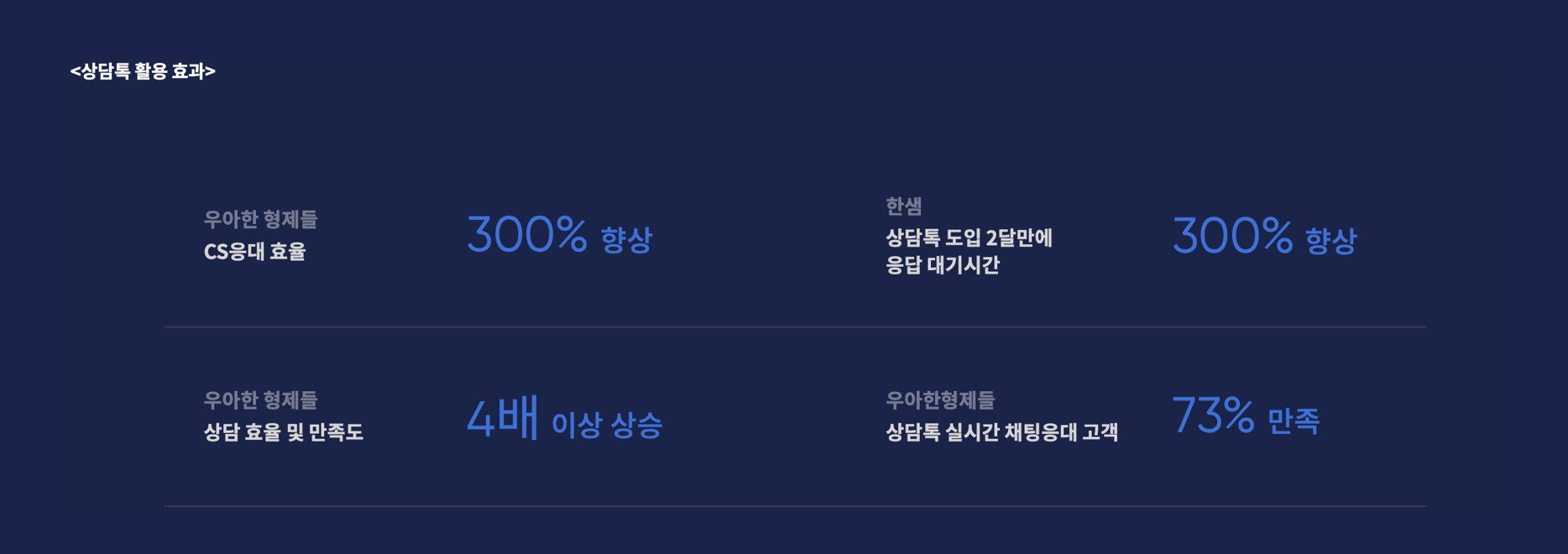
CS Talk replaces traditional ARS-based customer inquiries, allowing for instant communication and efficient responses.\
Customer satisfaction increases, and customer support consultants experience better adaptation and job satisfaction.\
Info Talk is recognized as a more convenient and reliable service than SMS, helping partners manage their operations smoothly.
## 3. Starting a Channel
1. Sign up for [Kakao Business](https://us.business.kakao.com/)
2. Go to
3. Create a channel
4. Set up your profile and home tab
5. Use channel features to achieve your business goals
---
# Agent Instructions
This documentation is published with GitBook. GitBook is the documentation platform designed so that both humans and AI agents can read, navigate, and reason over technical content effectively. Learn more at gitbook.com.
## Querying This Documentation
If you need additional information that is not directly available in this page, you can query the documentation by asking a question.
Perform an HTTP GET request on the following URL with the `ask` and `goal` query parameters:
```
GET https://kakaobusiness.gitbook.io/global/channel-1/info.md?ask=&goal=
```
`ask` is the immediate question: it should be specific, self-contained, and written in natural language.
`goal` is what the user is ultimately trying to achieve, the reason they need the answer. Sharing it helps GitBook give you a better, more relevant answer. A goal is most helpful when it describes the outcome the user wants rather than restating the question. For example, with `ask=how do I create an API token`, a goal like `automate deployments from our CI pipeline` lets GitBook tailor the answer to that use case.
The response will contain a direct answer to the question and relevant excerpts and sources from the documentation.
Use this mechanism when the answer is not explicitly present in the current page, you need clarification or additional context, or you want to retrieve related documentation sections.